
The 15 Best Payroll Software for 2026
We analyzed 61 payroll platforms so you can find the right fit for your team size, budget, and compliance needs.
Whether you run a 10-person startup or a 5,000-employee enterprise spread across a dozen countries, payroll software is the one tool you cannot afford to get wrong. The market in 2026 is crowded, with platforms ranging from bare-bones calculators to full human capital management suites that bundle HR, benefits, and talent management alongside pay processing. This guide is for anyone evaluating payroll software right now: business owners, HR leaders, finance teams, and operations managers who need to narrow the field quickly.
Our editorial team analyzed 61 payroll products using vendor documentation, published pricing, feature specifications, integration ecosystems, and user feedback patterns across major review platforms. We weighted factors like tax compliance automation, pricing transparency, support quality, scalability, and how well each product serves its stated audience. We did not hands-on test every product, and we note where independent validation is limited.
Below you will find our 15 top picks, ranked editorially with unique best-for designations so you can jump to the product most relevant to your situation. After the picks, a size-based buyer's guide, methodology notes, and FAQs will help you build a shortlist of two or three finalists to demo.
The Top 15 Picks, at a Glance
Our ranked shortlist. Click any row to jump to the full analysis.
Which One Fits You?
Not every product serves every team. Here's where to start by company size.
Small
For small teams (under 50 employees)
At this size, you need payroll that is fast to set up, affordable per head, and handles tax filing automatically so you are not paying an accountant to do it. Transparent pricing matters more here because every dollar counts, and you probably do not have a dedicated HR person to wrestle with a complex platform. Prioritize ease of use, included tax compliance, and direct deposit speed over advanced analytics or global capabilities.
Growth
For growing companies (50-500 employees)
Once you cross 50 employees, multi-state compliance, benefits administration, and HR integration become non-negotiable. You need a platform that scales without forcing a painful migration in two years, and one that automates enough of the payroll cycle to keep your HR team from drowning in manual work. Look for dedicated support models, strong reporting, and the ability to add modules (time tracking, recruiting, performance) as you grow.
Enterprise
For large organizations (500+ employees)
At enterprise scale, real-time payroll processing, single-database architecture, and multi-country compliance separate serious platforms from the rest. Implementation will take months and cost five to six figures, so factor that into your total cost of ownership. Prioritize continuous payroll engines that eliminate batch freezes, global tax automation, and deep integrations with your existing HRIS and ERP systems.
The Detailed List
What each product does well, where it falls short, and who it fits.
Rippling Payroll
Rippling earns the top spot because no other platform so tightly unifies payroll with HR, IT, and finance in a single system. Its Workflow Studio enables no-code automation that goes well beyond simple payroll approval chains, and global coverage spans 185+ countries. The trade-off is opaque, quote-based pricing and a mandatory Unity Platform subscription that raises the floor cost for companies that only need payroll.
- Starting at
- Contact vendor for pricing (Unity Platform base reportedly starts at $8/employee/month + $35/month; Payroll module is an additional custom-quoted add-on)
- Founded
- 2016
- HQ
- San Francisco, CA
- Model
- Per User
What's great
- Unified platform architecture means payroll automatically reflects HR changes like new hires, terminations, salary adjustments, and benefits elections without manual data entry
- Workflow Studio enables sophisticated no-code automation for payroll processes, approval chains, and cross-system triggers that go well beyond what most payroll competitors offer
- Global payroll coverage across 185+ countries and 50+ currencies, with EOR services for hiring where you lack a legal entity
- Unlimited off-cycle payroll runs at no additional cost, with tax penalty reimbursement guarantee
What's not
- Opaque, quote-based pricing with no published rates for the payroll module; add-on costs and implementation fees can push totals well beyond initial expectations
- Cannot purchase payroll standalone; the Unity Platform subscription is mandatory, increasing the minimum cost for companies that only need payroll
- Admin-gated support model means employees cannot contact Rippling directly or access the knowledge base; all support flows through company administrators
- Phone support restricted to accounts with 150+ employees; smaller companies are limited to chat and email
Gusto
Gusto remains the easiest payroll platform for small U.S. businesses to set up and run, with unlimited payroll runs on every plan and automatic federal, state, and local tax filing. Benefits administration is built in rather than bolted on. Be aware that pricing has climbed aggressively (23% on the Simple plan in one year), and multi-state payroll forces you onto the $80/month Plus tier.
- Starting at
- $35/month + $6/person (Contractor Only); $49/month + $6/person (Simple)
- Founded
- 2012
- HQ
- San Francisco, CA
- Model
- Tiered
What's great
- Exceptionally easy to set up and use, even for business owners with no payroll experience
- Unlimited payroll runs on every plan, including off-cycle payments and bonuses at no extra cost
- Automatic federal, state, and local tax calculation, filing, and payment reduces compliance risk
- Strong benefits administration (health insurance from 9,000+ plans, 401(k), workers' comp) included without additional admin fees
What's not
- Pricing has increased aggressively (23% on the Simple plan in one year), and add-on costs push total spend well above base prices
- Customer support outside the Premium plan is inconsistent, with slow response times during peak periods and chatbot-first workflows
- Multi-state payroll requires the Plus plan at $80/month + $12/person, forcing an expensive upgrade for remote teams
- Limited reporting customization and workflow automation compared to platforms built for larger organizations
Deel
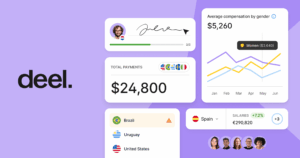
Deel is the strongest choice for companies paying workers across borders, with payroll in 130+ countries and EOR services in 150+ territories backed by 250+ owned legal entities. Month-to-month contracts and modular pricing add flexibility. Watch for hidden costs: FX markups of 0.6-2% are not itemized on invoices, and country surcharges of $50-$150 can add up fast.
- Starting at
- $29/employee/month (Global Payroll)
- Founded
- 2019
- HQ
- San Francisco, CA
- Model
- Per User
What's great
- Unmatched global coverage with payroll in 130+ countries and EOR in 150+ territories, backed by 250+ owned legal entities rather than third-party partners
- Modular, mix-and-match pricing with month-to-month contracts and no long-term commitment required
- Clean, intuitive interface with fast contractor onboarding (under 10 minutes) and centralized dashboard for all worker types
- Strong integration ecosystem with 120+ connectors including Workday, SAP, Oracle, NetSuite, BambooHR, and a public API
What's not
- Significant hidden costs including 0.6-2% FX markup (not itemized on invoices), $50-$150 country surcharges, and one-month gross salary deposit for EOR employees
- AI support bot is a consistent frustration point, often looping on complex questions before escalating to human agents
- Mobile app is slow and less polished than the desktop experience, which is a notable gap for a platform serving remote workers
- Expensive for small teams or single-country operations; $49/month per contractor and $599/month per EOR employee adds up quickly
ADP
ADP offers an unmatched growth path from one employee to thousands, with a clear upgrade from RUN to Workforce Now to enterprise products without switching vendors. AI-powered anomaly detection flags payroll errors before processing, and the tax penalty guarantee provides real financial protection. The lack of published pricing and an add-on-heavy model make true cost comparison difficult.
- Starting at
- Contact vendor for pricing (third-party sources estimate RUN Essential at ~$79/month + ~$4/employee)
- Founded
- 1949
- HQ
- Roseland, New Jersey
- Model
- Custom
What's great
- Unmatched scalability from 1 employee to 1,000+, with a clear upgrade path from RUN to Workforce Now to enterprise products without switching vendors
- Comprehensive automatic tax filing across all 50 states with a penalty guarantee that covers fines caused by ADP's errors
- AI-enabled error detection flags payroll anomalies before processing, reducing costly mistakes
- Extensive integration marketplace with hundreds of third-party apps and APIs for custom connections
What's not
- No published pricing; all plans require a custom quote, making it difficult to compare costs with transparent competitors like Gusto and OnPay
- Total costs escalate quickly with add-ons for benefits administration, time tracking, workers' compensation, and advanced HR tools
- Customer support quality is inconsistent, with long hold times, siloed support teams for different modules, and rep turnover disrupting account continuity
- Time and attendance tracking is not included in lower-tier plans, requiring an upgrade or add-on purchase
Patriot Software
At $17/month plus $4/employee, Patriot is roughly half the cost of Gusto and QuickBooks Payroll, with transparent pricing and no hidden fees. Free U.S.-based customer support on every plan consistently earns high satisfaction marks. The catch: very limited third-party integrations and no dedicated mobile app for administrators mean you will likely manage payroll from a browser only.
- Starting at
- $17/month + $4/employee
- Founded
- 1986
- HQ
- Canton, Ohio
- Model
- Per User
What's great
- Most affordable payroll solution on the market, with transparent pricing and no hidden fees
- Exceptionally easy to use with a clean, intuitive interface and guided setup process
- Free US-based customer support on every plan, with consistently high satisfaction ratings
- Unlimited payroll runs included at no extra cost on both Basic and Full Service plans
What's not
- Very limited third-party integrations; most scheduling and time-tracking apps require manual data entry
- Time tracking and HR features cost extra ($6/mo + $2/employee each), while competitors often include them free
- No dedicated mobile app for employers or administrators; payroll management is browser-based only
- Multi-state tax filing costs an additional $12/state/month, which adds up for geographically distributed teams
Paychex Flex
Paychex Flex stands out for businesses that want payroll, HR, and retirement plans under one roof. It is the number-one 401(k) provider in the U.S., and its benefits administration covers FSA, HSA, COBRA, and lifestyle perks. Two-click payroll processing with Pre-Check error detection is genuinely fast, though per-payroll-run charges penalize companies with weekly pay cycles.
- Starting at
- $39/month + $5/employee/month
- Founded
- 1971
- HQ
- Rochester, NY
- Model
- Tiered
What's great
- Comprehensive all-in-one platform covering payroll, HR, benefits, retirement, and PEO services under a single vendor
- Two-click payroll processing with Pre-Check error detection saves time and reduces costly mistakes
- Number one 401(k) plan provider in the U.S., with extensive benefits administration including FSA, HSA, COBRA, and lifestyle perks
- Nearly 300 third-party integrations through the Paychex Marketplace and expanding API library
What's not
- Opaque pricing with custom quotes required for most plans, making cost comparison difficult before committing
- Per-payroll-run charges increase costs for businesses with weekly pay periods or frequent off-cycle payments
- User interface feels dated compared to newer competitors like Rippling and Gusto, with tedious navigation between modules
- Customer support quality is inconsistent, with reported hold times of 15-30+ minutes and high account manager turnover
UKG Pro
UKG Pro's real-time continuous payroll engine eliminates batch freezes entirely, instantly reflecting changes to hours, deductions, and tax status. Smart Tax Search automates multi-jurisdiction compliance across 160+ countries through UKG One View. Implementation fees are significant, the learning curve is steep, and support quality is inconsistent, so plan for dedicated HRIS staff.
- Starting at
- Contact vendor for pricing (third-party estimates suggest ~$27-$37 per employee/month for core HCM)
- Founded
- 2020 (merger of Ultimate Software, est. 1990, and Kronos, est. 1977)
- HQ
- Lowell, MA / Weston, FL
- Model
- Per User
What's great
- Real-time continuous payroll processing eliminates batch freezes and instantly reflects changes to hours, deductions, and tax status
- Automated multi-jurisdiction tax compliance with Smart Tax Search reduces manual lookup and lowers compliance risk
- Global payroll consolidation across 160+ countries and 120+ currencies through UKG One View
- Deeply configurable business rules, workflows, alerts, and notifications for complex enterprise scenarios
What's not
- Steep learning curve with unintuitive navigation for new users; many tasks require multiple steps
- Customer support is inconsistent with slow response times, frequent handoffs between tiers, and limited proactive outreach
- No public pricing; estimated $27-$37 PEPM plus significant implementation fees makes it expensive for smaller organizations
- Implementation timelines of 4-12 months are lengthy compared to mid-market alternatives
Dayforce
Dayforce's true single-database architecture eliminates data silos across HR, payroll, time, and benefits, which is a real advantage for organizations with hundreds of pay rules and multi-jurisdiction compliance needs. Global payroll covers 200+ countries with native processing in 20+. Expect implementation costs of $50K-$120K and a 4-6 month timeline; this is not a platform you spin up in a weekend.
- Starting at
- Contact vendor for pricing
- Founded
- 1992
- HQ
- Minneapolis, MN and Toronto, Canada
- Model
- Per User
What's great
- Real-time continuous payroll engine catches errors before payroll is finalized, reducing corrections and reprocessing
- True single-database architecture eliminates data silos and duplicate entry across HR, payroll, time, and benefits
- Strong global payroll compliance covering 200+ countries with native processing in 20+ countries
- Dayforce Wallet provides fee-free on-demand pay, a meaningful employee retention tool for hourly workforces
What's not
- Customer support quality is inconsistent, with slow ticket resolution and siloed support teams that may not understand cross-module impacts
- Implementation is expensive ($50K–$120K+) and time-consuming (4–6 months), requiring significant internal resources
- Steep administrative learning curve, particularly for reporting, custom configurations, and system administration
- Reporting module is powerful but difficult to configure; dashboard builder lacks drag-and-drop flexibility
Paycom
Paycom's Beti feature, which lets employees verify their own paychecks before processing, is a genuine innovation that reduces payroll errors at the source. The single-database architecture and dedicated specialist support model (no phone trees) are real differentiators. Premium pricing runs 30-50% above peers like Paylocity and ADP, and the near-absence of third-party integrations or a public API will frustrate teams with existing tool stacks.
- Starting at
- Contact vendor for pricing (third-party sources estimate $25-$36 per employee per month for the full HCM suite)
- Founded
- 1998
- HQ
- Oklahoma City, Oklahoma
- Model
- Per User
What's great
- True single-database architecture eliminates data silos and manual re-entry across all HR and payroll modules
- Beti employee-driven payroll reduces errors by having employees verify their own paychecks before processing
- Dedicated specialist support model provides personalized service without phone trees or ticket queues
- Comprehensive all-in-one platform covering payroll, HR, benefits, time tracking, and talent management
What's not
- Premium pricing runs 30 to 50 percent higher than peer solutions like Paylocity and ADP
- Severely limited third-party integrations with no public API; requires middleware for external connections
- Implementation takes two to three months and involves a significant one-time fee (10-35% of annual subscription)
- International payroll capabilities are still maturing; not suitable as a primary global payroll solution

Square Payroll
If your business already runs on Square POS, Square Payroll is the obvious pick. Hours, tips, and schedules flow directly from Timecards and Shifts into payroll with zero manual entry. The contractor-only plan at $6/person with no base fee is one of the cheapest options on the market. Outside the Square ecosystem, integrations are extremely limited, with no public API and no Zapier support.
- Starting at
- $6/person/month (Contractor-Only) or $35/month + $6/person/month (Full-Service)
- Founded
- 2009
- HQ
- San Francisco, CA
- Model
- Tiered
What's great
- Competitive pricing with a $35/month base fee that undercuts Gusto, QuickBooks Payroll, and ADP
- Contractor-Only plan at $6/person with no base fee is one of the cheapest payroll options on the market
- Seamless integration with Square POS, Timecards, Shifts, and Team App eliminates manual data entry for hours, tips, and schedules
- Unlimited payroll runs on both plans with no per-run fees
What's not
- Limited third-party integrations outside the Square ecosystem; no public API, no Zapier support, and only QuickBooks Online for accounting
- No advanced HR features such as recruitment, performance reviews, learning management, or compensation planning
- Customer support limited to weekdays 6 AM to 6 PM PT with no 24/7 option; support reps sometimes lack deep payroll expertise
- Only one bank account allowed for payroll across all locations, which is a problem for multi-location businesses
Fingercheck
Fingercheck pairs unlimited flat-rate payroll runs with GPS-verified time tracking, geofencing, and biometric punch-in, making it purpose-built for businesses with field crews and hourly workers. Industry-specific compliance tools for construction (certified payroll), healthcare (PBJ reporting), and hospitality (tip pooling) go beyond what generic platforms offer. Reporting is basic, and software updates occasionally introduce bugs that disrupt workflows.
- Starting at
- $29/month + $7/employee/month
- Founded
- 2013
- HQ
- Brooklyn, NY
- Model
- Tiered
What's great
- Unlimited payroll runs at flat-rate pricing with no per-run fees, benefiting businesses that process payroll weekly or more often
- GPS-verified time tracking with geofencing, biometric, and facial recognition prevents time theft and eliminates manual timesheet entry
- Industry-specific compliance tools (certified payroll for construction, PBJ reporting for healthcare, tip pooling for hospitality) go beyond generic payroll platforms
- Fast setup with no implementation fees; most businesses are running within one week
What's not
- Customer support quality is inconsistent; while some interactions are excellent, others involve long wait times, and weekend support is limited
- Reporting and analytics capabilities are basic compared to competitors; limited customization for detailed or exportable reports
- Frequent software updates occasionally introduce bugs, glitches, and login errors that disrupt workflows
- Mobile app does not have full feature parity with the desktop version, limiting managers who work primarily from phones
Branch
Branch is not a payroll system; it is a workforce payments layer that adds earned wage access, instant payouts, and cashless tips on top of your existing payroll provider. The free-to-employer model (funded by interchange revenue from the Branch Card) is genuinely zero-cost for businesses, and integrations with ADP, Workday, UKG, and Square are already built. Value depends on worker adoption of the Branch Card, since employees who skip it reduce the revenue that keeps the platform free.
- Starting at
- Free for employers
- Founded
- 2016
- HQ
- Minneapolis, MN
- Model
- Freemium
What's great
- Completely free for employers with no per-employee fees, pre-funding requirements, or hidden costs on the standard plan
- Quick and easy setup that integrates with major payroll, HCM, and POS systems including ADP, Workday, UKG, and Square Payroll
- Supports both W-2 employees and 1099 contractors through a single platform, simplifying mixed-workforce payment management
- Workers receive a fee-free FDIC-insured bank account and debit card, addressing needs of unbanked and underbanked employees
What's not
- Not a full payroll solution; does not handle tax calculations, compliance filings, benefits administration, or pay stub generation
- End-user customer support receives criticism for slow response times, especially during peak periods, with no 24/7 phone availability
- Platform value depends on worker adoption of the Branch Card; workers who prefer their existing bank accounts reduce the interchange revenue that funds the free model
- Onboarding non-tech-savvy employees to activate cards and navigate the app can be time-consuming for managers
QuickBooks Payroll
For the hundreds of thousands of businesses already running QuickBooks Online, adding QuickBooks Payroll eliminates double-entry between payroll and accounting entirely. Automated payroll runs for salaried employees require zero clicks once set up, and Intuit guarantees tax accuracy. Customer support is the platform's Achilles' heel: slow, impersonal, and frequently unable to resolve complex issues. Annual price increases of 15-20% also erode its value over time.
- Starting at
- $50/mo + $6.50/employee/mo
- Founded
- 1983
- HQ
- Mountain View, CA
- Model
- Tiered
What's great
- Seamless integration with QuickBooks Online eliminates double-entry between payroll and accounting
- Automated payroll runs for salaried employees require zero clicks once configured
- Accurate tax calculation and filing across federal and state levels, guaranteed by Intuit
- Intuitive, beginner-friendly interface that non-accountants can operate confidently
What's not
- Customer support is slow, impersonal, and often unable to resolve complex payroll issues
- Frequent annual price increases of 15-20% make long-term budgeting unpredictable
- Core plan lacks essential features like same-day deposit, time tracking, and local tax automation
- Multi-state payroll costs an extra $12/month per additional state on Core and Premium plans
APS Payroll
APS assigns every customer a dedicated four-person support team with fast response times and genuine payroll expertise, a model that outperforms the ticket queues and chatbots at most competitors. Tax compliance is guaranteed across all 50 states and 411 jurisdictions, and there are no extra fees for off-cycle payroll runs. The $416.67/month minimum and opaque custom quotes make it a harder sell for businesses under 25 employees.
- Starting at
- Contact vendor for pricing ($50/month base fee + ~$5-6/employee/month reported on third-party platforms; $416.67/month minimum)
- Founded
- 1996
- HQ
- Shreveport, Louisiana
- Model
- Per User
What's great
- Dedicated four-person support team per customer with fast response times and payroll expertise
- No extra fees for off-cycle or unscheduled payroll runs, unlike many competitors
- Tax compliance guaranteed across all 50 states and 411 jurisdictions, with penalty coverage for filing errors
- High ease of use with 91% average user adoption and 90% ease-of-setup rating
What's not
- Report customization is limited; complex or highly tailored reports require workarounds or external tools
- Mobile app rated 3.8-3.9/5 on app stores with reports of near-unusability for complex tasks on smartphones
- Pricing structure is opaque; custom quotes required and minimum monthly bill of $416.67 may be steep for small businesses
- U.S.-only platform with no international payroll support and no foreign address capability
Paycor
Paycor's predictive workforce analytics and reporting capabilities are above average for the mid-market, and its mobile app (4.7/5 from 23,000+ reviews) is among the highest-rated in the category. Unlimited payroll runs with automated tax filing come standard. Customer support inconsistency is a persistent weak spot, and essential features like time tracking, scheduling, and benefits administration are sold as add-ons that inflate total cost well beyond the base plan.
- Starting at
- Contact vendor for pricing (third-party sources report plans starting around $99/mo + $6/employee/mo)
- Founded
- 1990
- HQ
- Cincinnati, OH
- Model
- Tiered
What's great
- Unlimited payroll runs on all plans with automated tax filing and real-time calculations
- Strong analytics and reporting capabilities with predictive workforce insights, above average for the mid-market segment
- Highly rated mobile app (4.7/5 from 23,000+ reviews) with employee self-service for schedules, time off, and pay stubs
- Earned wage access at no extra cost to employers, a meaningful retention tool for hourly workforces
What's not
- Customer support is inconsistent; long wait times, knowledge gaps, and resolution delays are frequent complaints across the customer base
- Time tracking, scheduling, and benefits administration are sold as add-ons, significantly inflating total cost beyond base plan pricing
- US payroll only; no international payroll, multi-currency, or global tax compliance support
- Pricing is not publicly listed, requiring a sales conversation just to understand basic costs
How We Evaluated
Our editorial team analyzed 61 payroll products using vendor documentation, published pricing data, feature specifications, integration ecosystems, and user feedback patterns across major review platforms. We scored each product on payroll processing accuracy, tax compliance automation, pricing transparency, customer support quality, scalability, and how well it serves its target audience. We did not conduct hands-on testing of every product; our assessments are based on publicly available information and aggregated user sentiment. This guide was last updated in May 2026.
Common Questions
Straight answers to what buyers ask us.
-
Most cloud payroll platforms charge a monthly base fee ($17-$99) plus a per-employee fee ($4-$12). For a 25-person company, expect to pay roughly $125-$400/month for core payroll with tax filing. Enterprise platforms like UKG Pro and Dayforce use custom quotes and typically land in the $20-$40 per-employee-per-month range, plus significant implementation fees.
-
Not necessarily. Platforms like Rippling, Gusto, and Paychex Flex bundle payroll with HR, benefits, and onboarding in a single system. Standalone payroll tools like Patriot Software are cheaper upfront but require separate HR software. If you have more than 25 employees and manage benefits, an integrated platform usually saves time and reduces data-entry errors.
-
Full-service payroll (offered by Gusto, ADP, Paychex, and most cloud platforms) means the software calculates, files, and pays your federal, state, and local taxes automatically. Self-service payroll gives you the calculations but requires you to file and remit taxes yourself. For most businesses, full-service is worth the extra cost because the penalties for late or incorrect tax filings far exceed the price difference.
-
Yes, but not every plan supports it. Gusto requires the Plus tier ($80/month + $12/person) for multi-state payroll. ADP, Rippling, Paychex, and Patriot Software handle multi-state on their standard plans. If you have remote employees in several states, confirm multi-state support and pricing before you sign up.
-
For international contractors, Deel ($49/month per contractor) and Rippling offer compliant payment processing with local currency support. For full employees abroad, you either need a legal entity in that country or an Employer of Record (EOR) service. Deel and Rippling both offer EOR in 150+ countries. Be aware of FX markups: Deel charges 0.6-2% on currency conversions, which is not always itemized on invoices.
-
Most full-service platforms include some form of tax accuracy guarantee. ADP and Paychex will cover penalties caused by their own filing errors. Gusto and Patriot Software also guarantee accurate calculations and filings. Always confirm the exact terms of the guarantee in your contract, because some vendors only cover penalties they directly caused and exclude errors resulting from incorrect data you provided.
-
For small businesses using platforms like Gusto or Patriot Software, expect one to two weeks for setup, data migration, and a test payroll run. Mid-market platforms like Paycom or APS Payroll typically take four to eight weeks. Enterprise systems like UKG Pro and Dayforce require four to six months of implementation. The best time to switch is at the start of a new quarter to simplify tax filing transitions.