
The 10 Best Network Monitoring Software for 2026
We analyzed 14 network monitoring platforms to help IT teams and MSPs find the right fit for their infrastructure.
Whether you manage a 50-device office network or a multi-cloud environment spanning three continents, your monitoring tool shapes how fast you detect outages, how much alert noise your team tolerates, and how confidently you can pinpoint root causes. The network monitoring market in 2026 splits along clear lines: cloud-native observability platforms for engineering teams, on-premises tools for traditional IT shops, and MSP-oriented platforms built around multi-tenant management and remote access. Picking the wrong category wastes budget and creates blind spots.
Our editorial team analyzed 14 network monitoring products across vendor documentation, published pricing, feature depth, deployment models, and user feedback patterns from thousands of reviews on major platforms. We did not conduct hands-on lab testing of every product. Instead, we focused on identifying consistent strengths and recurring pain points that show up across real deployments, giving you a clearer picture than any single product demo would.
Below, you will find our ranked top 10, a comparison table, and a buyer's guide segmented by company size. Use the rankings to build a short list of two or three products, then check the buyer's guide to confirm which ones align with your team size, infrastructure type, and budget. Every product links to our full individual review for deeper analysis.
The Top 10 Picks, at a Glance
Our ranked shortlist. Click any row to jump to the full analysis.
Which One Fits You?
Not every product serves every team. Here's where to start by company size.
Small
For small teams (under 50 employees)
Budget transparency and fast setup matter most when your IT team is one or two people. Look for per-device pricing you can calculate yourself, deployment measured in minutes rather than days, and built-in remote access so you are not licensing a separate tool. Avoid platforms that require custom quotes or dedicated administrators to configure properly.
Growth
For growing companies (50-500 employees)
At this size, you are likely managing a mix of on-premises switches, cloud workloads, and remote endpoints. Automated discovery and topology mapping save hours of manual inventory work, and AI-driven alerting becomes important as the number of monitored objects grows past what a small team can manually tune. Prioritize platforms that scale their pricing predictably so a jump from 200 to 500 devices does not blow your budget.
Enterprise
For large organizations (500+ employees)
Large enterprises typically need visibility across multi-cloud environments, third-party network paths, and high-volume traffic flows. The ability to correlate network data with application traces and infrastructure metrics in one platform reduces mean time to resolution significantly. Expect to invest in onboarding and training; every top-tier platform at this scale has a meaningful learning curve.
The Detailed List
What each product does well, where it falls short, and who it fits.
LogicMonitor
LogicMonitor earns the top spot for its combination of AI-driven alert correlation (via its Edwin engine), 3,000+ pre-built monitoring templates, and unified coverage across on-premises hardware, multi-cloud, and containers. Starting at $16 per hybrid unit per month, it costs roughly three times what budget tools charge, but the automated discovery and intelligent alerting justify the premium for teams managing complex hybrid environments.
- Starting at
- $16/hybrid unit/month
- Founded
- 2008
- HQ
- Santa Barbara, CA
- Model
- Tiered
What's great
- AI-driven alert correlation and prioritization through the Edwin engine dramatically reduces alert noise in complex environments
- Automated device discovery and 3,000+ pre-built monitoring templates minimize manual configuration effort
- Unified hybrid monitoring covers on-premises, multi-cloud, containers, and network devices from a single SaaS platform
- Per-device licensing model is more cost-efficient than per-monitor pricing used by some competitors
What's not
- Premium pricing makes it one of the most expensive monitoring platforms in the category, roughly 3x the cost of budget alternatives
- Steep learning curve, especially for custom reporting, advanced configurations, and initial onboarding
- APM capabilities are less mature than dedicated application monitoring tools like Datadog or Dynatrace
- Contract renewal experience has drawn complaints, with reports of aggressive renewal negotiations
Auvik
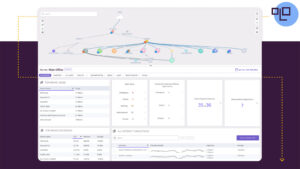
Auvik delivers the fastest time-to-value we found in the category: full network visibility typically arrives in under an hour, with 50+ pre-configured alerts working immediately. Its automated topology mapping, with real-time interactive visuals and color-coded connection types, is genuinely best-in-class for MSPs and IT teams managing multiple sites. The per-device pricing is steep and requires a custom quote, so budget-conscious teams should request detailed estimates early.
- Starting at
- Contact vendor for pricing (third-party sources estimate starting around $150/month)
- Founded
- 2011
- HQ
- Waterloo, Ontario, Canada
- Model
- Per User
What's great
- Exceptionally fast deployment with full network visibility typically achieved in under an hour
- Automated topology mapping is best-in-class, with real-time interactive visual maps and color-coded connection types
- 50+ pre-configured alerts work from day one with no setup required
- Unlimited users and unlimited sites included on all plans, eliminating per-seat cost concerns
What's not
- Among the most expensive network monitoring tools in the category, with per-device pricing that escalates quickly at scale
- Pricing is opaque and requires custom quotes, making it difficult to budget in advance
- Alerting system is noisy out of the box and requires time investment to tune thresholds and suppress false positives
- Device misidentification occurs, requiring manual corrections to keep inventory accurate
Datadog
Datadog stands apart by correlating network data with infrastructure metrics, APM traces, and logs in one interface, backed by 850+ integrations. For engineering teams already using Datadog for application monitoring, adding network visibility is a natural extension rather than another tool to manage. Be warned: the modular pricing model means costs escalate quickly as you enable additional products, and the learning curve is real for non-technical staff.
- Starting at
- $15/host/month (Infrastructure Pro, billed annually); network monitoring is an additional add-on
- Founded
- 2010
- HQ
- New York, NY
- Model
- Per User
What's great
- Unified observability platform that correlates network data with infrastructure metrics, APM traces, and logs in a single interface
- Over 850 integrations spanning cloud platforms, network hardware vendors, containers, and collaboration tools
- Highly customizable dashboards with advanced visualization options and mathematical functions
- Strong cloud-native and hybrid network monitoring with Cloud Network Monitoring, Network Device Monitoring, and Network Path
What's not
- Pricing is complex, modular, and difficult to predict; costs escalate rapidly as usage and enabled products increase
- Steep learning curve, especially for non-technical team members; the UI can feel cluttered and overwhelming
- Total cost of ownership is significantly higher than traditional network monitoring tools like PRTG or Zabbix
- Free tier is limited to 5 hosts with 1-day retention, unsuitable for any production use

NinjaOne
NinjaOne combines endpoint monitoring with industry-leading patch management (including Patch Intelligence AI that flags unstable updates) and an interface new technicians can learn in hours. Free, unlimited 24/7 support in seven languages eliminates the hidden support costs that inflate total spend with other platforms. Per-endpoint pricing starts around $3.75/month for small deployments and drops to roughly $1.50 at volume, though you will need a custom quote.
- Starting at
- ~$3.75/endpoint/month (50 or fewer endpoints); volume discounts available down to ~$1.50/endpoint/month
- Founded
- 2013
- HQ
- Austin, Texas
- Model
- Per User
What's great
- Exceptionally intuitive interface that new technicians can learn in hours, not weeks, significantly reducing onboarding time
- Industry-leading patch management with Patch Intelligence AI that flags unstable updates before deployment across 200+ third-party applications
- Free unlimited 24/7 support in seven languages with included onboarding and training, eliminating hidden support costs common with competitors
- Unlimited technician seats with per-endpoint pricing, providing significant cost advantages for teams with many technicians
What's not
- Per-endpoint pricing is premium for very small deployments under 50 devices, where per-technician models like Atera's may be more cost-effective
- Reporting and dashboard customization remain limited compared to competitors, restricting the ability to create tailored views and analytics
- Pricing requires a custom quote and is not fully transparent, making upfront cost comparison difficult
- Network monitoring capabilities, while functional, are not as deep as dedicated network monitoring tools for complex multi-vendor environments
Domotz
At $1.50 per device per month with no feature tiers, user limits, or setup fees, Domotz offers the most transparent pricing model in the category. Built-in remote access via RDP, SSH, and Telnet eliminates the need for separate VPN or remote desktop tools, which is a meaningful cost savings for small MSPs. Recent 50% price increases have frustrated some long-time users, but even at current rates, it remains one of the most affordable options for teams monitoring under 500 devices.
- Starting at
- $15/month (10 managed devices at $1.50/device/month)
- Founded
- 2015
- HQ
- Draper, Utah
- Model
- Per User
What's great
- Simple per-device pricing with no feature tiers, user limits, or setup fees
- Built-in remote access (RDP, SSH, Telnet, HTTP/HTTPS) eliminates the need for separate tools or VPNs
- Fast deployment with 16 installation options and typical setup time under 15 minutes
- Unlimited free device discovery across unlimited networks before committing to managed devices
What's not
- No fully on-premise deployment option; cloud portal required for console access
- Recent price increases have concerned long-time customers, with some reporting 50% jumps
- No annual billing option; monthly billing only
- Integration depth with some PSA/RMM platforms is shallower than competitors like Auvik
Cisco ThousandEyes
No other tool in this category matches ThousandEyes for visualizing every hop between your users and their applications, including across ISP and cloud provider networks you do not control. Its Collective Intelligence engine, built on billions of daily measurements, can detect third-party outages before most organizations even notice them. The quote-based pricing is consistently described as expensive, and it is not a full-stack solution; you will still need complementary tools for internal device monitoring and log management.
- Starting at
- Contact vendor for pricing
- Founded
- 2010
- HQ
- San Francisco, CA
- Model
- Custom
What's great
- Best-in-class internet and cloud path visualization that maps every hop between users and applications, including across third-party networks
- Collective Intelligence from billions of daily measurements enables real-time detection of ISP and cloud provider outages before most organizations notice them
- Excellent 24/7 customer support with knowledgeable staff and strong onboarding assistance from demo through deployment
- Deep native integration with Cisco networking products (Meraki, Catalyst, SD-WAN, AppDynamics) reduces deployment complexity for Cisco shops
What's not
- Pricing is opaque, quote-based, and consistently described as expensive; the unit-based consumption model adds complexity to cost forecasting
- Not a full-stack monitoring solution; requires complementary tools for internal device monitoring, log management, and application-level tracing
- Steep learning curve for new users, particularly around understanding unit consumption, test configuration, and pricing optimization
- Limited functionality for offline or air-gapped networks due to cloud agent reliance on internet connectivity
ManageEngine OpManager
OpManager's device-based licensing (starting at $245/year for 10 devices) includes all interfaces, sensors, and metrics per device, making costs far more predictable than sensor-based competitors like PRTG. Its 11,000+ built-in device templates auto-classify hardware during discovery, and hybrid coverage extends to VMware, Hyper-V, AWS, Azure, GCP, and Kubernetes. The catch: advanced capabilities like NetFlow analysis and application monitoring require paid add-ons, and there is no native SaaS option.
- Starting at
- $245/year (10 devices)
- Founded
- 1996
- HQ
- Chengalpattu District, Tamil Nadu, India
- Model
- Tiered
What's great
- Device-based licensing includes all interfaces, sensors, and metrics per device, making costs predictable and lower than sensor-based or per-host competitors
- Fast discovery engine with 11,000+ built-in device templates that auto-classify devices and reduce manual configuration
- Hybrid monitoring covers on-premises hardware, virtual environments (VMware, Hyper-V, Xen), cloud platforms (AWS, Azure, GCP, OCI), and containers (Kubernetes, Docker)
- AIOps-driven threshold configuration uses machine learning to reduce false alarms and manual alert tuning
What's not
- Advanced capabilities (NetFlow analysis, firewall management, application monitoring) require paid add-ons that increase total cost beyond the base license
- No native SaaS deployment option; requires managing on-premises monitoring server infrastructure even when deployed on cloud VMs
- Initial setup and configuration can be complex, especially for large environments with custom alerting rules and distributed probes
- Classic (free) support tier is limited to business hours with 8-hour acknowledgment SLA, which is insufficient for critical monitoring environments

Kentik
Kentik processes massive flow datasets and returns query results in seconds across terabytes of network telemetry, which is critical for organizations that need real-time traffic intelligence. Its multi-cloud observability spans AWS, Azure, and GCP with Kubernetes-level visibility, and ML-based DDoS detection with automated mitigation orchestration adds genuine security value. Enterprise pricing can reach hundreds of thousands of dollars annually, placing it firmly in the large-enterprise tier.
- Starting at
- Contact vendor for pricing
- Founded
- 2014
- HQ
- San Francisco, CA
- Model
- Custom
What's great
- Exceptionally fast querying of massive flow datasets, returning results in seconds across terabytes of network telemetry
- Deep multi-cloud observability across AWS, Azure, and GCP with Kubernetes-level visibility in a single pane
- Strong DDoS detection with ML-based baselining and automated mitigation orchestration through third-party integrations
- Best-in-class peering and BGP analytics that are genuinely difficult to find in competing products
What's not
- Steep learning curve, particularly for constructing nested filters and complex alert policies
- Pricing is opaque and significant; enterprise deployments can reach hundreds of thousands of dollars annually
- SaaS-only architecture means flow data may not reach Kentik during severe DDoS attacks that saturate upstream links
- Dashboard customization and saved view navigation can be confusing, with some documentation gaps
PRTG Network Monitor
PRTG's 321+ sensor types ship with every license tier, meaning no paid add-on modules or premium feature packs. The genuinely useful free tier (100 sensors covering roughly 10 devices, with no time limit) lets small teams get started at zero cost. The core server runs only on Windows with no Linux probe support, and the web interface feels dated; the redesigned UI remains in alpha as of early 2026.
- Starting at
- $2,149/year (PRTG 500; Freeware Edition available free for up to 100 sensors)
- Founded
- 1997
- HQ
- Nuremberg, Germany
- Model
- Tiered
What's great
- 321+ sensor types with every feature included in all license tiers; no paid add-on modules or premium feature packs required
- Genuinely useful free tier (100 sensors for ~10 devices, lifetime) and a 30-day unlimited trial for proper evaluation
- Auto-discovery identifies approximately 90% of needed sensors, enabling rapid initial deployment
- Distributed monitoring via unlimited remote probes makes multi-site environments straightforward to manage
What's not
- Core server runs only on Windows with no Linux probe support, limiting deployment flexibility for Linux-centric shops
- Web interface feels dated compared to modern competitors; the redesigned UI is still in alpha as of early 2026
- Sensor-based licensing causes real-world costs to exceed initial estimates, as devices often consume more sensors than the 5-10 average suggests
- Mid-2024 switch from perpetual to subscription-only licensing roughly doubled annual costs for some existing customers

WhatsUp Gold
WhatsUp Gold's device-based licensing counts a 48-port switch as one device rather than 48 sensors, creating real savings for teams managing dense switching environments. The web console is well-designed with customizable dashboards and NOC views, and automatic discovery identifies devices within minutes. No cloud SaaS option exists, and add-on modules for NTA, virtualization, and config management push the total cost well beyond the base price.
- Starting at
- Contact vendor for pricing
- Founded
- 1981
- HQ
- Bedford, Massachusetts
- Model
- Tiered
What's great
- Device-based licensing is cost-effective: a 48-port switch counts as one device, not 48 sensors, saving significantly at scale
- Fast initial deployment with automatic network discovery identifying devices within minutes of installation
- Intuitive, well-designed web console with customizable dashboards and NOC views for daily operations
- Self-healing alert actions can automatically restart services, run scripts, and trigger external workflows, reducing manual intervention
What's not
- No cloud SaaS deployment option; requires on-premises Windows Server installation, which limits appeal for cloud-first organizations
- Add-on modules for NTA, virtualization, app monitoring, and config management significantly increase total cost beyond the base price
- Advanced alert configuration and custom scripting require substantial technical expertise despite the easy initial setup
- Mobile app is limited to basic device status; lacks the depth of the web console for on-the-go management
How We Evaluated
Our editorial team analyzed 14 network monitoring products using vendor documentation, published pricing structures, feature comparisons, and user feedback patterns aggregated across major review platforms. We evaluated each product on deployment flexibility, pricing transparency, alerting intelligence, breadth of integrations, and the consistency of reported strengths and weaknesses across hundreds of user reviews. We did not conduct hands-on lab testing of every product; our rankings reflect editorial judgment based on documented capabilities and real-world user outcomes. This guide was last updated in May 2026.
Common Questions
Straight answers to what buyers ask us.
-
Network monitoring tools focus on device availability, bandwidth usage, SNMP polling, and topology mapping. Full observability platforms like Datadog add application performance traces, log management, and code-level diagnostics. If your primary concern is keeping switches, routers, and firewalls healthy, a dedicated network monitoring tool will cost less and deploy faster.
-
Cloud-hosted tools (like Auvik, LogicMonitor, and Datadog) eliminate server maintenance and update faster, but they require your monitoring data to leave your network. On-premises tools (like PRTG, OpManager, and WhatsUp Gold) keep all data local, which matters for organizations with strict compliance or data sovereignty requirements. Hybrid environments often benefit from a cloud platform with local collectors or probes.
-
Costs range from free (PRTG's 100-sensor tier, Sensu's 100-entity tier) to hundreds of thousands annually for enterprise platforms like Kentik. For a typical 200-device network, expect to pay between $300 and $3,200 per month depending on whether you choose a budget tool like Domotz ($1.50/device) or a premium platform like LogicMonitor ($16/unit). Always factor in add-on costs for features like NetFlow analysis or application monitoring.
-
Yes, but multi-tenant support varies significantly. Auvik, Domotz, and NinjaOne are purpose-built for MSPs and include multi-tenant dashboards, per-client isolation, and white-labeling options. Enterprise tools like ThousandEyes and Kentik can serve multiple business units but are not designed around the MSP billing and client management workflow.
-
Cloud-based tools deploy fastest. Domotz reports typical setup in under 15 minutes, and Auvik achieves full network visibility in under an hour. On-premises tools like PRTG and OpManager require server installation and initial configuration, which usually takes a few hours to a full day. Enterprise platforms like LogicMonitor and Datadog can take weeks to fully configure for complex hybrid environments.
-
At minimum, you want configurable thresholds, escalation paths, and multiple notification channels (email, Slack, SMS, PagerDuty). More advanced tools like LogicMonitor use AI to correlate related alerts and suppress noise, which becomes critical once you are monitoring hundreds of devices. Auvik's 50+ pre-configured alerts work immediately but often need tuning to reduce false positives.
-
Domotz includes RDP, SSH, Telnet, and HTTP/HTTPS remote access at no additional cost, eliminating the need for a separate VPN or remote desktop tool. NinjaOne bundles remote access and remote control into its platform. Most other tools on this list focus on monitoring and alerting, requiring you to pair them with a separate remote access solution.